Alt Editor
Role
Sole Product/Interaction Designer
Team
PD 1, FE 1, BE 1
Timeline
2022–2023
Platform
Web Application
Link
00 / TL;DR
PROJECT
SUMMARY
Problem
Web-based subtitle editor with AI automation. Challenge: Serve both Beginners (mouse-focused) and Power users (keyboard-focused) in one interface.
My Role
Sole Product/Interaction Designer
Impact
Acquired ~3,000 users. Engineered a core interaction model and shortcut system that became the standard for the company's enterprise tools.
01 / OVERVIEW
THE
CONTEXT
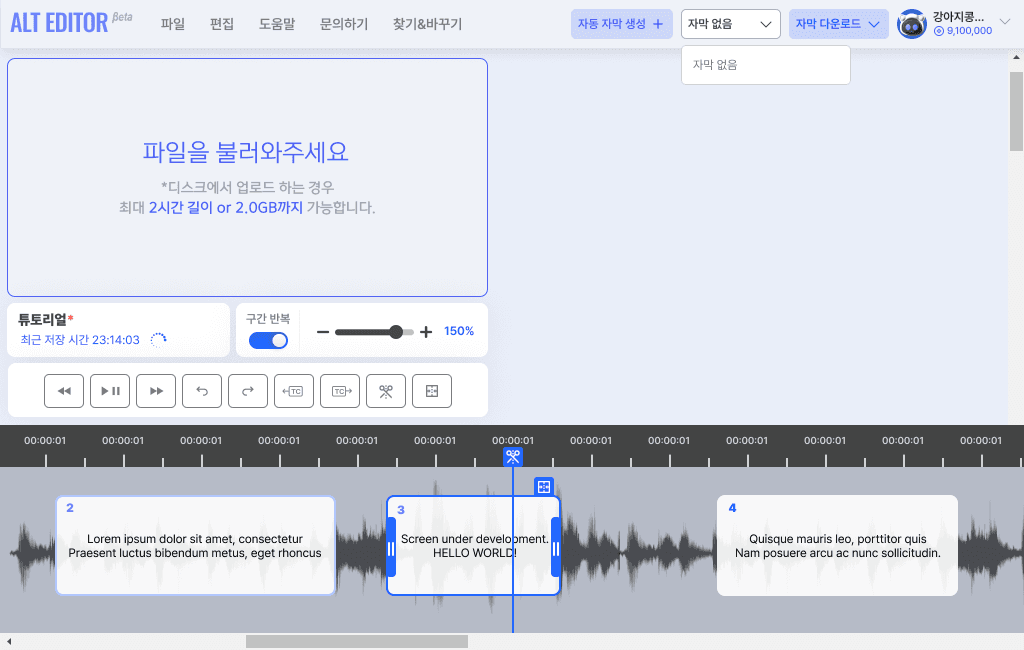
Alt Editor is a web-based subtitle editor designed to serve two distinct user groups with a single interface. It aims to innovate the traditionally slow subtitling process with three goals:
- AI Automation: Automate subtitle creation.
- Beginner Accessibility: Enable obstacle-free completion of the first subtitle.
- Power User Efficiency: Provide keyboard-centric fast editing workflows.
The core challenge was guiding novices while not hindering experts within a single interface.
02 / CHALLENGE
PROBLEM &
CONSTRAINTS
Traditional subtitling is slow and complex, requiring transcription, timecode adjustment, and verification. I had to satisfy two conflicting user needs:
Beginners
- Struggle with workflow
- High entry barrier
- Prefer mouse interaction
Power Users
- High repetition fatigue
- Resort to workarounds if unsupported
- Prefer keyboard interaction
Additionally, I had to resolve browser/OS reserved key conflicts while serving both groups in one product.
Single Interface, Dual Flow
03 / PROCESS
KEY
DECISIONS
Analyzed competitors (Subtitle Edit, Vrew) and professional workflows. Established the principle: "Separate flows by behavior, but keep a single interface."
1. Beginner Flow (Mouse-centric)
- Intuitive Layout: Core actions (timeline, merge/split) fixed at top/near timeline.
- Click-Only Completion: Designed to complete "Navigate → Select → Edit → Export" with mouse only.
- Onboarding: Overlay and short guide video to show clear starting point.
2. Power User Flow (Keyboard-centric)
- Alt Shortcuts: Designed Alt-based set to avoid browser/system conflicts.
- Two-Hand Pattern: Distributed keys for seamless Typing ↔ Play/Pause ↔ Timecode adjustment.
- Learning: Persistent shortcut hint bar to induce natural learning.
3. Web Constraints & Visibility
- Simplified State: Visible selection, modification status, and export readiness at a glance.
- Combined Solution: Alt mapping + Context Menu + Real-time Chatbot.
- Progressive Disclosure: Core features first, advanced features revealed by proficiency.
4. Resolution & Adaptability
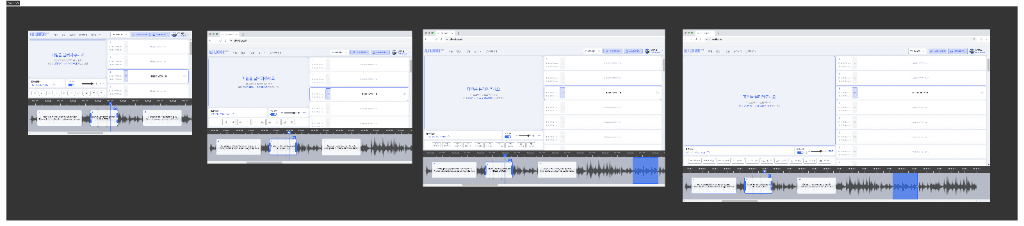
Although mobile support was excluded, I conducted user research to ensure usability on small laptops (e.g., 13-inch screens) and designed the interface accordingly.


Web Constraint Solutions
04 / OUTCOME
IMPACT &
RESULTS
Achieved ~3,000 cumulative users. The editor structure and shortcut system became the foundation for the SUBUP Workspace translator editor.
Impact & Organizational Leverage
- System Standardization: The unified flow, keyboard shortcuts, and state visibility patterns were adopted as the organization's standard design reference.
- Performance Boost: Drastically improved editing speed for power users through the custom shortcut system.
- Strategic Trade-off: Prioritized resolving browser key conflicts (Alt mapping) over initial features like Undo/Redo, ensuring a stable core experience.
Optimization Focus
While the expert workflow was highly successful, I identified that data-validation for beginner retention is critical for future iterations. I would implement rigorous event tracking at each onboarding step to optimize the first-time user funnel.
Key Learnings
- Constraints Drive Innovation: Mapping browser/OS reserved keys early enabled a conflict-free, web-native shortcut system.
- Observability is Mandatory: Establishing log schemas before development is essential for tracking user funnels and validating success.
- Mechanism Separation: Effectively served two audiences by separating mechanisms: Guardrails for beginners, Efficiency tools for experts.